How can we help?
Guides, tutorials, and walkthroughs for every feature in Rosterly. Search below or browse by category.
See Rosterly in Action
Real screenshots from the platform — click any image to learn more about that feature.
Get Started in 4 Steps
New to Rosterly? Follow these steps to set up your workspace.
Interactive Walkthroughs
Animated step-by-step demos showing how key features work. Click play to auto-advance.
Build a Weekly Roster
See how to create a full week's schedule using the AI bar and site filters.
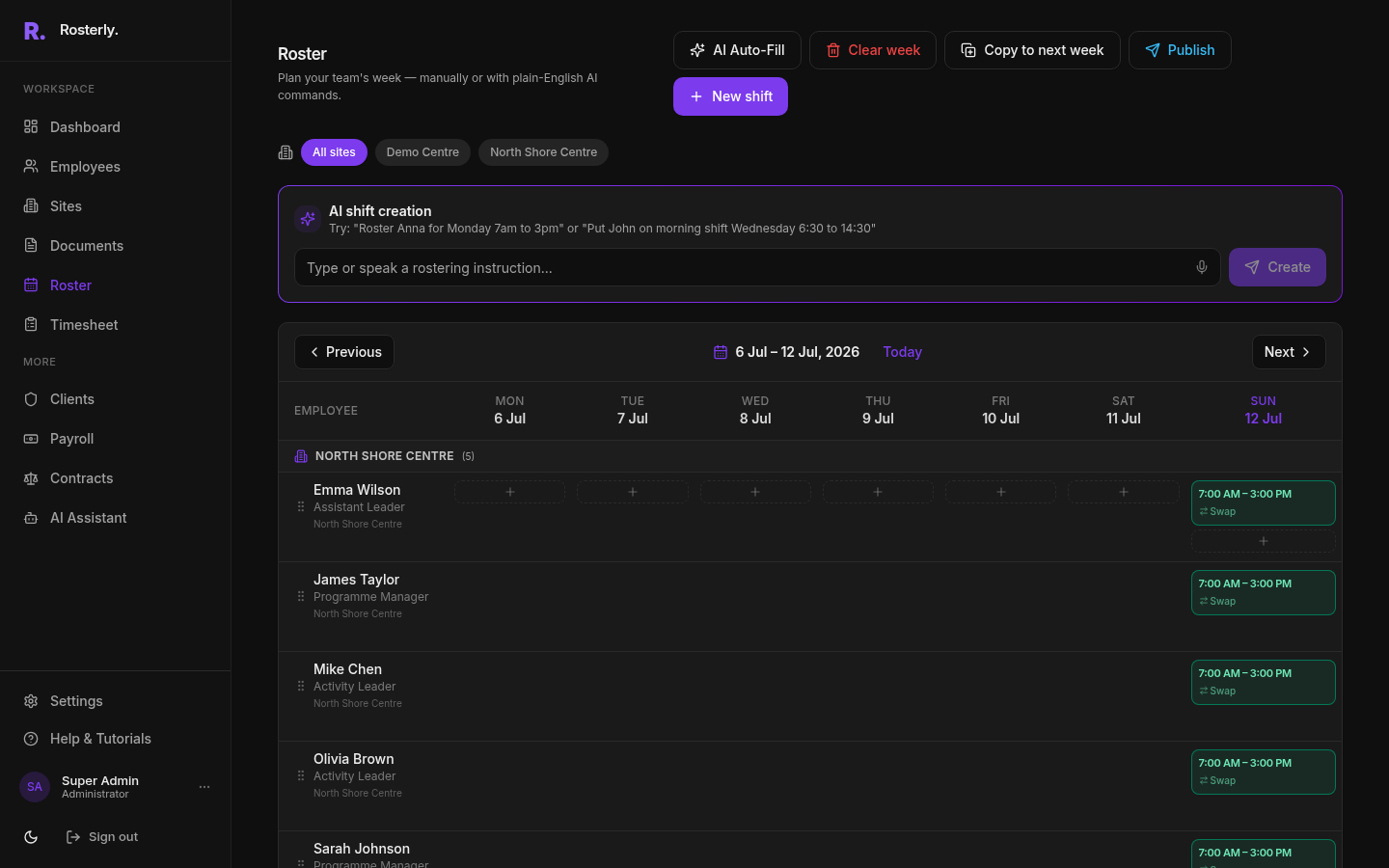
View the Roster Grid
The roster shows employees grouped by site with shifts across Mon–Sun.
Set Up Kiosk & Track Time
Deploy the kiosk on a tablet and monitor live attendance.
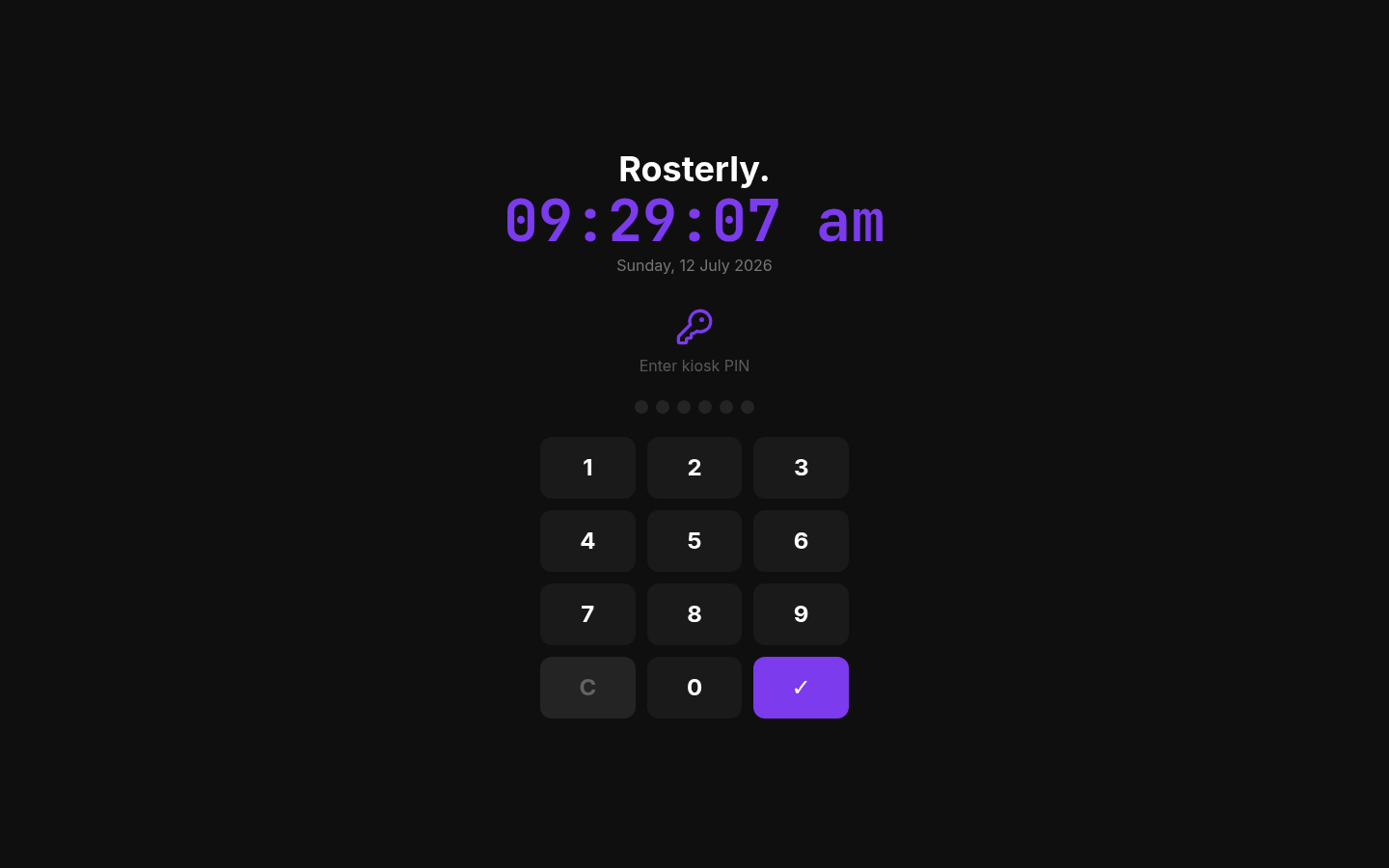
Open the Kiosk
The kiosk shows a PIN keypad — employees enter their 6-digit code to clock in.
Manage Your Team
Add employees, assign them to sites, and give them access.
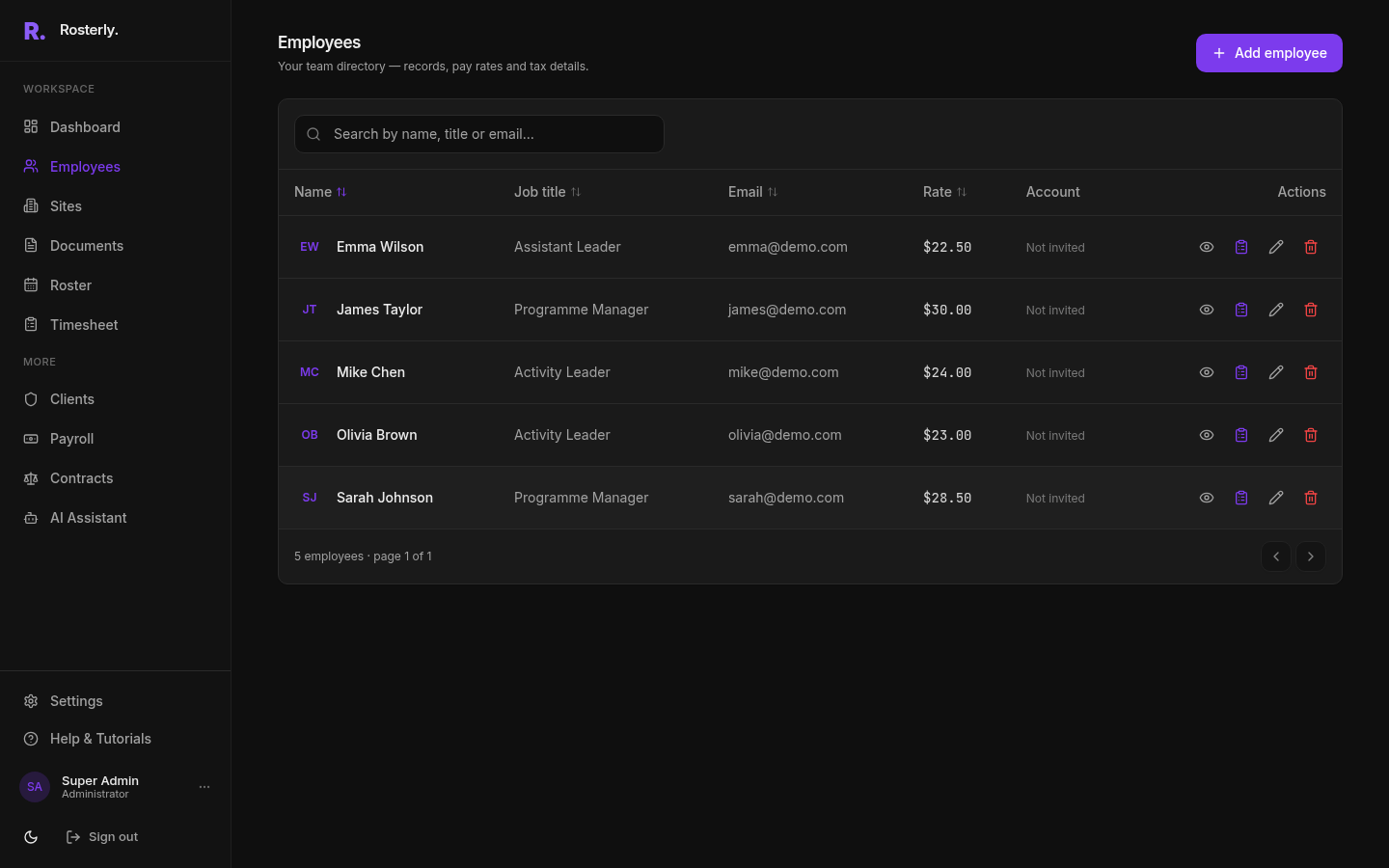
Employee Directory
The Employees page lists your full team with names, roles, rates, and actions.
Run Payroll & Export
Calculate pay and export to your NZ payroll system.
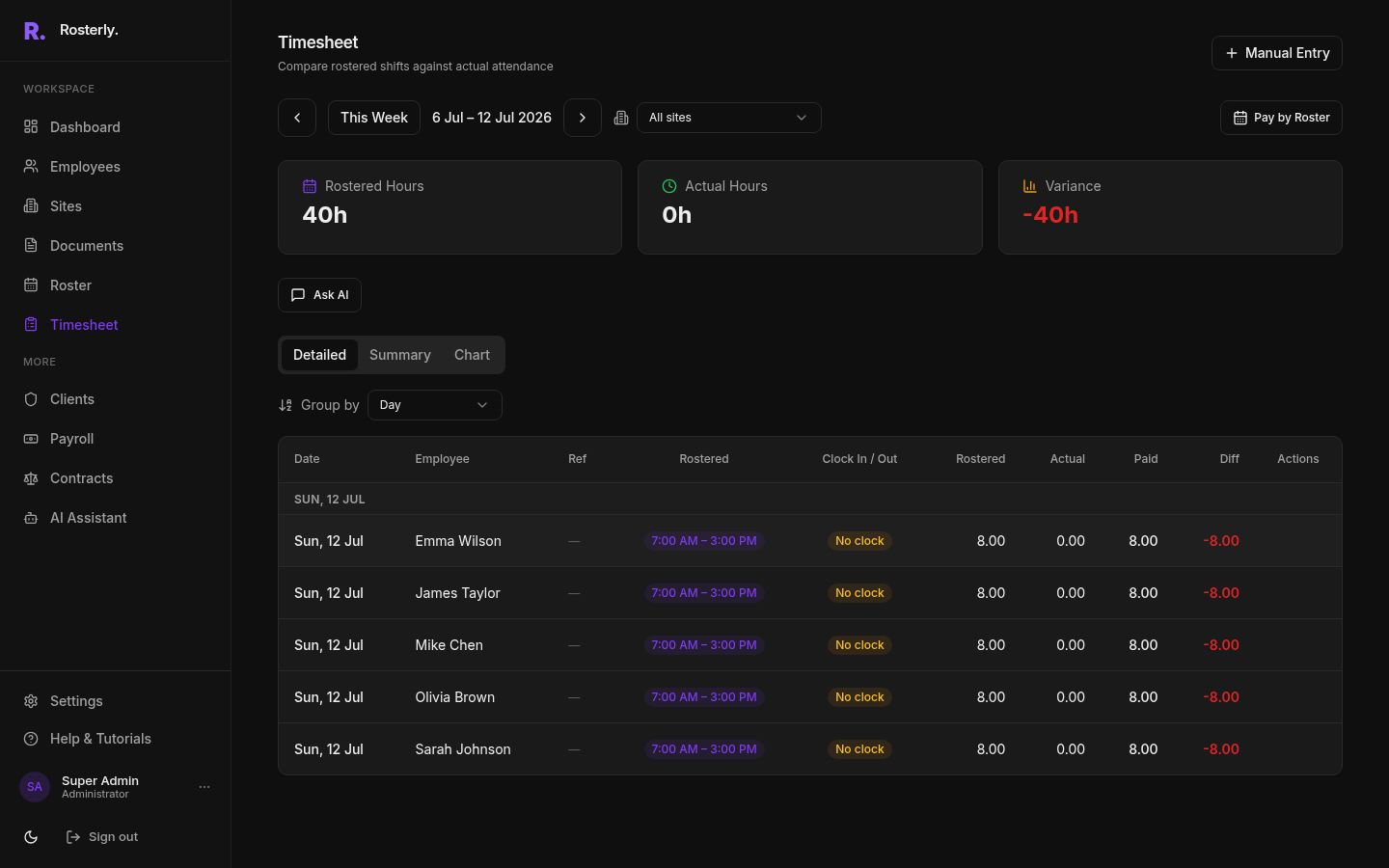
Review Timesheet
The Timesheet calculates rostered hours, actual hours, and variance per employee.
Browse by Category
Frequently Asked Questions
Explore More Features
Screenshots from every section of the platform.